We are a few days into the roll-out of a 6th-grade social studies blended learning unit focusing ancient Maya, Inca, and Aztec civilizations.
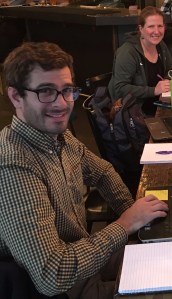
The teachers, Thomas and Liz, are using Schoology to take their kids on virtual field trips to ancient ruins while using discussions and multiple choice quizzes to assess kids’ learning. They participated in our blended learning cohort and collaborated to create an engaging and meaningful learning experience for their kids – congrats, Liz and Thomas!
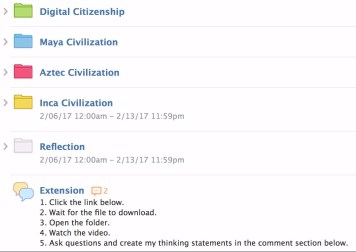
When kids logged into Schoology, they were required to complete tasks in 5 different folders.
We felt it was really important to start with Digital Citizenship because we wanted to establish academic and social expectations for behaving and interacting online.
After kids finished the online work in a folder, they checked in with Thomas or Liz to get their next guided reading assignment. Once they worked through the paper/pencil assignment independently or small groups, they got back online to go on the next virtual field trip.
So far the kids are enjoying it and we haven’t had too many challenges!
The most challenging part of our roll out has been managing the kids’ log-in credentials. Although the kids wrote their information out on paper, some didn’t enter into the computer correctly when first registering. Once their information got mixed up, the kids couldn’t log in and we had to reset their passwords manually. It was time consuming on the front end but once we got their accounts sorted out, it has been smooth sailing. I think we are off to a great start!
 Wes Akers
Leave a comment